The symptom was database crashes. The cause was a webshell.
A production Zimbra mail server we operate started crashing its database. That is the kind of symptom that leads a tired administrator to restart the database, watch it stay up for a while, and move on.
The database was fine. What was killing it was a fileless implant that had been running as the mail server’s own service account for eleven days.
This is the write-up. Names, addresses and infrastructure details are left out; the attack pattern, the timeline and the engineering lessons are the useful part, and those are all here.
Fileless means it was never on disk
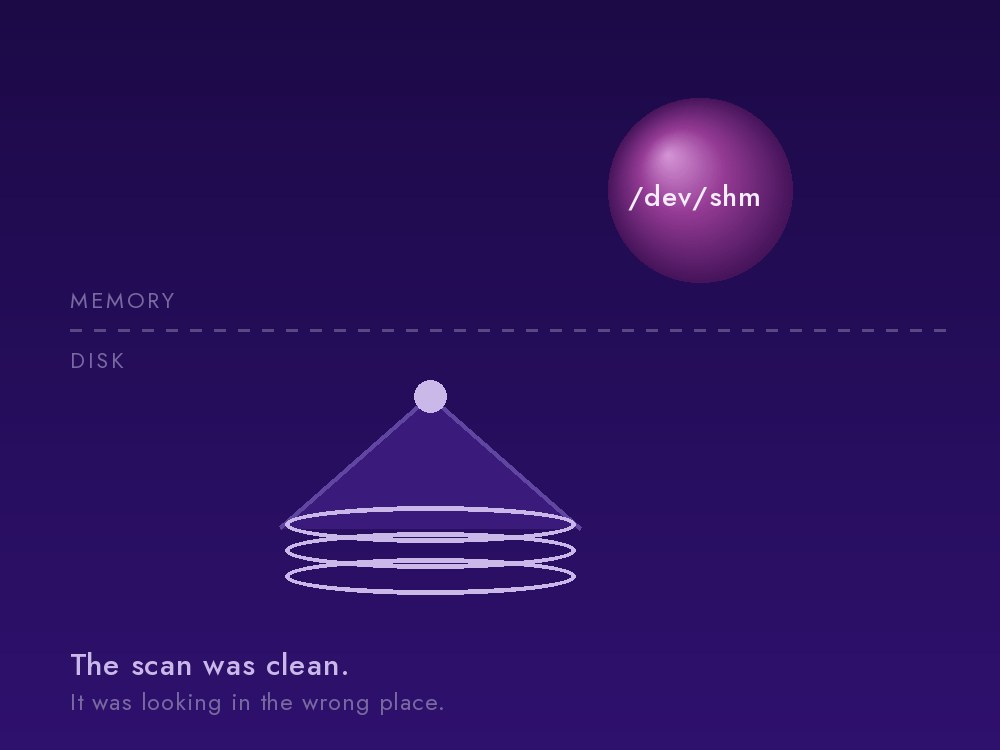
The implant ran from /dev/shm, which on Linux is a directory backed by RAM
rather than by storage. Processes named to blend in with normal system
activity, running under the mail service account, consuming enough resources
to destabilise the database sharing the machine with them.
The significance of /dev/shm is that a file-based scan finds nothing
there. Antivirus and integrity checkers walk the filesystem; from the
filesystem’s point of view, the directory is empty of anything interesting,
because its contents live in memory and vanish on reboot. An administrator who
ran a scan, saw a clean result, and concluded the machine was clean would have
been reasoning correctly from bad evidence.
Detection came from looking at running processes and what they had open, not at files. That is the practical lesson: your detection has to be able to see the thing your attacker is using, and memory-backed storage is a well-known place to hide precisely because most tooling does not look there.
Eleven days of quiet
Timeline analysis put initial compromise about eleven days before anyone noticed. The entry point was a webshell planted through the mail server’s web tier. A webshell is a small script uploaded into a legitimate web application that gives an attacker command execution through ordinary-looking web requests.

Nothing broke for eleven days. The intrusion only became visible when the implant’s resource consumption grew enough to destabilise the database, at which point it presented as a database problem. This is worth sitting with: the incident announced itself as a completely unrelated performance issue, and the window between compromise and discovery was determined not by the quality of the monitoring but by how greedy the malware happened to be.
Log review found no signatures of mailbox data being exfiltrated. That is a meaningful finding and we state it as exactly what it is: an absence of evidence in the logs we have, not a proof that nothing was taken.
Eradication, and the decision to upgrade
Containment on the day of discovery: implant processes killed, memory-backed storage cleaned, persistence mechanisms removed, and the perimeter firewall reduced to a minimal set of services. The web tier was then hardened so that only the vendor’s own stock endpoints are served - which kills the entire webshell class, since a webshell is by definition an endpoint that should not be there.
Then the more consequential decision: rather than patch the running version, we upgraded it. Two minor versions, within 48 hours of discovery.
The reasoning is worth stating because it is not obvious. Patching fixes the hole you found. When an intruder has had eleven days, the question is no longer only “how did they get in” but “what else did they touch that we have not enumerated”. Moving to a current, supported version replaces far more of the attack surface than a targeted patch does. It is the more defensible position, provided you verify the result.
What an emergency upgrade actually looks like
Upgrade guides describe a path that works. Real upgrades, run under time pressure on a production system, hit walls. Ours hit six:
- A dependency conflict in the web server component.
- Held packages blocking the installer from proceeding.
- An expired vendor signing key. The package repository stopped validating. Worth knowing: marking a repository as trusted does not bypass an expired signature. The fix is to fetch the republished key.
- The installer silently resetting local configuration mid-upgrade, which is a quiet way to lose settings you did not know you depended on.
- A required component living in a separate repository that the main one does not reference.
- The installer choosing new-install mode instead of upgrade mode, which is exactly as alarming as it sounds when the data you care about is already on the machine.
There was also a lesson in the safety net itself. Taking a virtual-machine snapshot of the server before proceeding took over ninety minutes, because of how the disk image was configured. When your rollback plan costs an hour and a half, it stops being a thing you do casually between steps, and the real decision becomes which steps are worth protecting and which are cheap to simply redo.
The verification lesson
After the upgrade, two regressions surfaced. The upgrade had silently removed the firewall rules we had tightened hours earlier. And one service account’s mail sessions were wedged and needed a restart of the mailbox service.
Both were caught because we verified rather than assumed. But the sharper lesson came from a check that passed when it should not have.
A directory-service health check succeeded twice while the service was, for practical purposes, down. The check connected over the network. The application connected over a local socket. The network path was healthy; the socket path was dead. The check was green, correctly, about something nobody cared about.
A green check must exercise the consumer’s exact channel. If your application talks to a database over a Unix socket, testing the TCP port proves the process is running and nothing more. If your users reach a service through a proxy, testing the backend directly skips the part most likely to be broken. This applies far beyond mail servers, and it is the single most portable thing we took away from this incident.
Outcome
Mail service was restored the same week. Repeated overnight scans came back clean, monitoring was re-established, and credential rotation and snapshot hygiene were scheduled as follow-up work. No customer data loss was identified.
The honest summary is: detected, eradicated, upgraded, verified. Not “unbreached” - a claim nobody who has actually run infrastructure believes - but handled, with the reasoning written down.
If you run Zimbra
The pattern in this incident is not specific to us. Self-hosted mail is a large, internet-facing application with a long history of actively exploited vulnerabilities, run by organisations that made a deliberate choice to keep their mail off the hyperscalers. That choice is defensible. It comes with operational obligations.
The things that mattered here, in order:
- Detection that can see memory-resident processes, not only files on disk.
- An allowlist of legitimate web endpoints, so a webshell is a comparison failure rather than a needle in a haystack.
- Patch currency, because eleven days of quiet access is enough time for an attacker to do more than you can enumerate afterwards.
- Verified backups and verified restores, before the night you need them.
- Health checks that use the consumer’s channel.
Two questions worth answering about your own mail server: if an implant were running in memory right now, what would tell you? And when did anyone last restore from your backups rather than confirm they exist?
Zimbra hardening, patch assessment and incident response is work we do.